
Highlights

There’s something genuinely wonderful about being able to freeze a moment in time, a grandchild’s laugh, a garden in full bloom, the golden light of a late afternoon. And the good news? You don’t need a bulky digital camera or years of technical training to do it. Your smartphone is already one of the most capable photography tools ever made, and it’s sitting right there in your pocket.
This guide to smartphone photography walks you through everything you need to know to start taking photos you’ll actually be proud of, from understanding what your phone camera can do, to keeping your pictures safe and organized for years to come. Whether you’re just beginning your journey into mobile photography or looking to improve your smartphone photography skills, this guide has you covered.
Photography for seniors has never been more accessible. With today’s smartphones, older adults can capture stunning images without needing expensive equipment or professional training. This introduction to mobile photography will help you master smartphone photography at your own pace.
Modern smartphones have come a long way. The cameras built into today’s phones rival what professional photographers were using just a decade ago. But before you can take full advantage of that, it helps to understand a few key smartphone photography basics.
Resolution is essentially how much detail your smartphone camera captures. Higher megapixels mean sharper, more detailed images, especially when you want to print or zoom in later. This is one of the most important aspects of smartphone photography that beginners should understand.
Zoom is where a lot of people get tripped up. Digital zoom works by cropping into the image, which can make photos look blurry. Optical zoom, available on many modern phones, actually moves the lens, giving you much better quality when photographing something far away. If your phone has multiple camera lenses, experiment with them to see which gives you the clearest result at a distance. Understanding how to use Zoom correctly is one of the most valuable smartphone photography tips you can learn.
Flash is useful, but it can create harsh shadows. In dark rooms, it lights up your subject. But it can also wash out faces or create unflattering results. Whenever possible, try to use natural light instead. Your photos will almost always look better for it, and this simple adjustment alone can dramatically improve your smartphone photography.
Getting familiar with these three things alone will put you well ahead of most casual photographers. For seniors who want to explore photography further, understanding your phone camera’s capabilities is the essential first step.
If you’re looking for a device that makes learning smartphone photography easier, check out this helpful resource on senior-friendly smartphones and features designed for older adults.
Here’s something worth knowing: your smartphone’s camera isn’t just a lens and a sensor. It’s packed with smart technology that’s constantly working behind the scenes to make your smartphone photos look great.
Image stabilization reduces blur from an unsteady hand. Automatic scene detection recognizes whether you’re photographing a landscape, a face, or food, and adjusts the camera settings accordingly. Some phones even use artificial intelligence to enhance colors and sharpness automatically. These features make digital photography more accessible than ever for seniors.
You don’t need to understand exactly how any of this works. The point is that the camera is doing a lot for you already. Your job is mostly just to point it in the right direction. This is what makes smartphone photography such a great starting point for anyone new to photography basics.
Phone photography doesn’t have to feel complicated. A few straightforward habits can make a noticeable difference in your results. These tips for seniors are designed to be practical and easy to apply right away.
Light matters more than anything else. Natural light is your best friend when you take photos. Try to take better photos during the early morning or late afternoon. Photographers often call these the “golden hours,” when the light is soft, warm, and flattering. Harsh midday sun tends to create unflattering shadows and washed-out colors. Learning to work with natural light is one of the most important photography tips you can follow.
Think about your composition. There’s a simple trick called the rule of thirds. Imagine your screen divided into a grid of nine equal squares. Instead of placing your subject dead center, try positioning it along one of the lines or near one of the four intersection points. It sounds fussy, but it genuinely makes photos feel more balanced and interesting. The rule of thirds is one of the foundational composition techniques used by every experienced photographer.
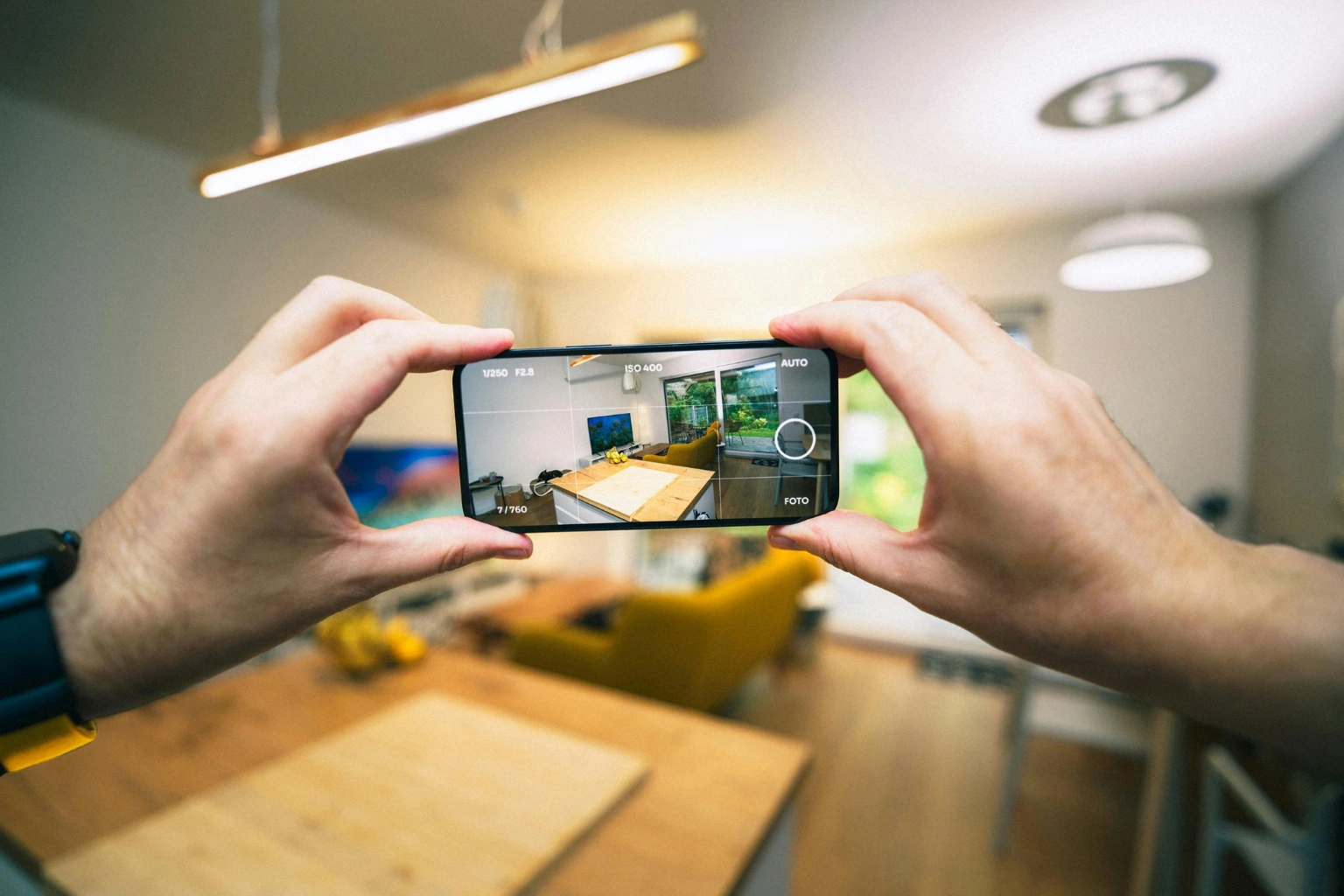
Keep it steady. Blurry photos are usually caused by camera movement at the moment of shooting. Try holding your phone with both hands to maximize stability. If you find your hands aren’t as steady as they used to be, try leaning against a wall or resting your elbows on a surface. Or better yet, use a small smartphone tripod, which we’ll cover in more detail shortly.
These smartphone photography tips are simple to apply but genuinely effective. Even experienced photographers return to these fundamentals when they want to take better photos.
Once you’ve got the basics down, photography becomes about finding subjects that genuinely interest you. Here are a few directions worth exploring as you continue learning smartphone photography:
Photography projects are a wonderful way to stay motivated. Try photographing objects around your home in a new light, or document a garden through the seasons. These photography projects give your work purpose and help you improve your photography skills steadily over time.
For more smartphone photography tips and techniques, this comprehensive guide to smartphone photography tips and tricks offers excellent practical advice for seniors at every skill level.
Holding a thin, smooth smartphone for an extended period isn’t always easy, particularly if you have any stiffness or reduced grip strength in your hands. Camera grip accessories exist precisely for this reason. They make your phone easier and more comfortable to hold, which means less fatigue and fewer blurry shots. This is one of the most practical tips for seniors who want to enjoy longer photography sessions.
A smartphone tripod is probably the single most useful purchase you can make. A small, lightweight tripod stabilizes your phone completely, which is especially helpful in low light or for group photos where you want to include yourself. Using a tripod is one of the best smartphone photography tips for anyone who wants consistently sharp images.
Camera grips attach to the back of your phone and give you something more substantial to hold onto. They can make a real difference for anyone who finds a flat smartphone awkward to grip, and they help you hold your phone with both hands more comfortably.
Lens attachments are a fun optional extra. Wide-angle lenses let you fit more into the frame, which is great for landscape photography or interiors. Macro lenses let you get extremely close to small subjects, like flowers or insects, revealing detail you’d never see otherwise.
These tips and techniques for using accessories can genuinely transform your phone photography skills. Once you experience how much steadier your shots are with a tripod, you’ll wonder how you managed without one.
Photo editing is an important aspect of smartphone photography that many beginners overlook. The good news is that there are excellent apps designed to help you improve your smartphone photography without any technical expertise.
Snapseed is a free app that’s widely regarded as one of the best options for beginners. It offers a range of simple tools that can dramatically improve your smartphone photos, from adjusting brightness and contrast to removing unwanted objects from a scene. Snapseed is particularly popular among seniors because of its intuitive interface.
Lightroom is another powerful option. While it has more advanced features, Lightroom also offers simple presets that let you improve your photos with a single tap. Many photographers use Lightroom to adjust white balance, which can make a huge difference in how natural and warm your photos look. Apps like Lightroom have made professional-quality photo editing accessible to everyone.
Both Snapseed and Lightroom are available as free camera app downloads, making them excellent starting points for seniors who want to explore photo editing without any financial commitment.
Understanding white balance, shutter speed, and other camera settings on your phone can seem daunting at first, but these apps make it approachable. The shutter speed, for example, affects how motion is captured. A faster shutter speed freezes movement, while a slower one creates blur, which can be used creatively in the right situations.
Portrait mode, available on most modern smartphones, automatically creates a shallow depth of field effect that blurs the background and makes your subject stand out beautifully. This is one of the most impressive features built into your phone, and it’s worth experimenting with for family portraits and close-up shots.
High dynamic range, or HDR mode, is another useful setting on your phone that helps capture detail in both bright and dark areas of a scene. It’s particularly useful for landscape photography where you have a bright sky and a darker foreground.
Beyond the rule of thirds, several other composition techniques can help you take your smartphone photography to the next level. These photography techniques are used by professional photographers every day, but they’re just as effective when you use your smartphone.
Leading lines are one of the most powerful tools in photography. Roads, fences, rivers, and pathways naturally guide the viewer’s eye through the image toward the main subject. When you position your subject thoughtfully and use leading lines to draw attention, your photos gain a sense of depth and direction that makes them genuinely compelling.
Framing involves using elements in the scene, such as doorways, windows, or tree branches, to frame your main subject. This technique adds layers to your composition and helps position your subject naturally within the image.
Symmetry and patterns are everywhere once you start looking for them. Reflections in water, repeating architectural details, and natural patterns in leaves or stone all make for striking smartphone photos.
These are the kinds of photography techniques that separate great smartphone photography from ordinary snapshots. The more you practice them, the more naturally they’ll come to you. Learning to guide the viewer’s eye through thoughtful composition is one of the most rewarding aspects of photography.
Losing photos, whether from a dropped phone, a technical failure, or an accidental deletion, is genuinely upsetting. The good news is that it’s very easy to protect yourself against this with automatic cloud backups. Set it up once, and your photos are saved automatically every time you take one. This is one of the most important tips for getting the most from your photography experience.
That’s really all there is to it. From that point on, every photo you take gets quietly saved to the cloud without you having to think about it. This simple step ensures that your everyday moments are protected and can be shared with younger family members whenever you like.
Being connected with loved ones through photos is one of the greatest joys of photography. When you share photos with family, you’re not just sending images. You’re sharing experiences, memories, and moments that matter. Automatic backups ensure none of those moments are ever lost.
Take enough photos, and you’ll quickly find yourself scrolling through hundreds or thousands of images trying to find a specific one. A good photo organization app makes this much less frustrating. This is an important aspect of smartphone photography that becomes more valuable the more you use your smartphone.
Google Photos is probably the most user-friendly option available. It automatically groups your smartphone photos by date, location, and even by the people in them, making it easy to find what you’re looking for. It also creates automatic collages and memory slideshows, which is a lovely bonus for anyone who wants to relive their favorite moments.
Apple Photos is the built-in option for iPhone users. It integrates seamlessly with your other Apple devices and has a clean, easy-to-use interface that makes it simple to share photos with family.
Dropbox is primarily a file storage service, but it handles photo management well too, particularly if you’re already using it for other things.
For a deeper look at managing your digital photography collection, this comprehensive guide on organizing and managing digital photos for seniors covers the topic thoroughly and offers practical tips for getting your photo library under control.
One of the best things about living in the digital age is the abundance of online resources available to help seniors improve their photography skills. Whether you prefer video tutorials, written guides, or interactive courses, there’s something out there to suit every learning style.
Online photography courses are a fantastic way to deepen your understanding of digital photography school principles at your own pace. Many platforms offer courses specifically designed for older adults, covering everything from smartphone photography basics to more advanced photography techniques.
The beginner’s guide to smartphone photography available on Medium’s photography community is an excellent starting point for anyone who wants a thorough introduction to mobile photography concepts. It covers the fundamental aspects of photography in a clear, accessible way that’s ideal for seniors’ use.
When it comes to online photography resources, the course “The Complete Guide to Smartphone Photography” is frequently recommended for beginners. The course is in a complete guide format, which works well for seniors because it builds knowledge progressively, making it easy to follow along at a comfortable pace.
Digital Photography School is another excellent online resource that offers tutorials, tips, and inspiration for photographers at every level. Their content covers everything from basic camera settings to advanced composition techniques, making it a valuable bookmark for anyone serious about improving their phone photography skills.
If you’re looking for a device that makes it easier to access these online resources and explore photography, you might also find this guide to user-friendly tablets for seniors helpful, particularly for viewing and editing photos on a larger screen.
Photographs are meant to be seen. Sharing your work, whether through a family group chat, a Facebook post, or simply showing someone your phone, brings genuine joy to both sides of the exchange. Learning to share photos effectively is one of the most rewarding aspects of smartphone photography for seniors.
Photography is an art that connects people across generations. When seniors use their smartphones to capture and share meaningful moments, they stay connected with loved ones in a way that feels personal and immediate. A photo of your garden sent to a grandchild, or a portrait shared in a family group chat, can brighten someone’s day in ways that words alone cannot.
If you want to take things a step further, consider joining a local photography group or signing up for a beginner’s photography class. Being around other people who share your interests is a great way to pick up new ideas, get friendly feedback, and make real connections. Photography has a wonderful way of bringing people together, and many communities have groups specifically designed to help seniors explore photography in a supportive environment.
There are also many online photography communities where you can share photos with your phone and receive encouragement from fellow enthusiasts. These communities can be a wonderful source of inspiration, particularly when you’re looking for new photography projects to tackle.
What do camera grip accessories actually do?
They give you a more secure, comfortable hold on your smartphone. This is particularly helpful if you find a flat phone awkward to grip, and it reduces the hand movement that causes blurry photos. For seniors who want to improve their phone photography skills, grip accessories are one of the most practical investments available.
How hard is it to set up automatic photo backups?
It’s genuinely straightforward. Apps like Google Photos and iCloud walk you through the process step by step, and once it’s set up, everything happens automatically in the background. This is one of the most important tips for using your smartphone to its full potential.
Which photo organization app is easiest to use?
Google Photos tends to be the most beginner-friendly option, thanks to its automatic sorting and simple interface. Apple Photos is equally good if you’re using an iPhone and prefer to stay within the Apple ecosystem. Both apps make it easy to share photos with family and relive your favorite everyday moments.
What is the best camera app for beginners?
The default camera app that comes built into your phone is usually the best starting point. It’s designed to work seamlessly with your specific device and typically offers the best image quality. As you grow more comfortable, you can explore third-party camera apps that offer additional manual controls and creative features.
How can I choose the best settings on my phone for different situations?
The key is to choose the best mode for your subject. Use portrait mode for people, landscape mode for outdoor scenes, and night mode in low-light conditions. Most modern smartphones make these choices automatically, but understanding when to manually select them gives you greater creative control over the quality of your smartphone photography.
Smartphone photography isn’t just about taking pictures. It’s about noticing the world around you more carefully, finding beauty in ordinary moments, and creating something you can look back on and share. Photography is an art that rewards curiosity and patience, and it’s never too late to start.
You don’t need to be a professional photographer. You don’t need expensive equipment. You just need your phone, a little curiosity, and the willingness to point it at something that catches your eye. The use of your smartphone as a creative tool is something that can genuinely enrich your daily life.
Start with the tips here, experiment freely, and don’t worry too much about getting it perfect. Every great smartphone photographer started exactly where you are now. The best photo is always the one you actually took, and every shot you take helps you improve your photography skills a little more.
Whether your goal is to capture everyday moments with family, explore landscape photography in your local area, or simply find a creative hobby that keeps you connected with loved ones, smartphone photography for seniors offers something genuinely rewarding. Take your smartphone photography at your own pace, enjoy the process, and remember that every photo you take is a memory preserved.
Now grab your phone and go find something worth capturing.
Written By Safia Sabry